
Vault12: Inherit Crypto Wallet
Vault12, IncFinance
4.3130.00 Reviews
- Version
- 3.0.0
- Installs
- 100.00K
- Age Rating
- Everyone
Screenshots
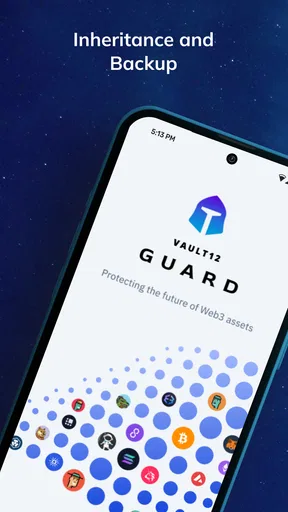
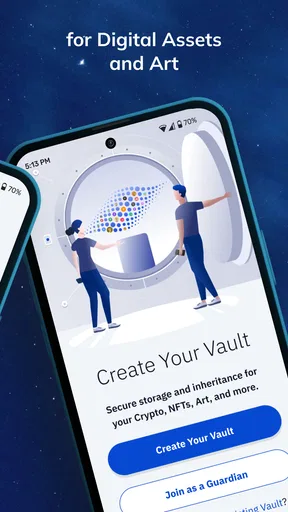
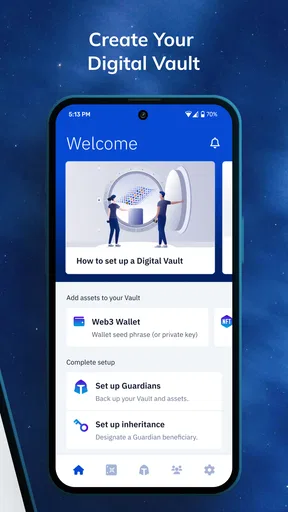
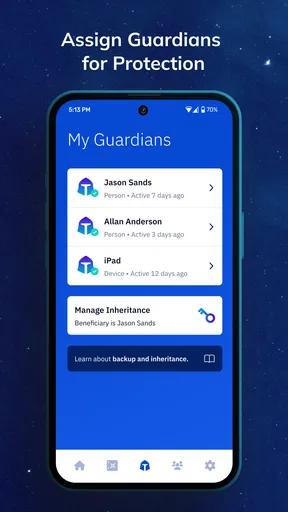
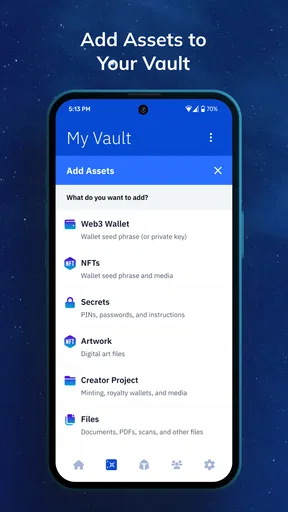
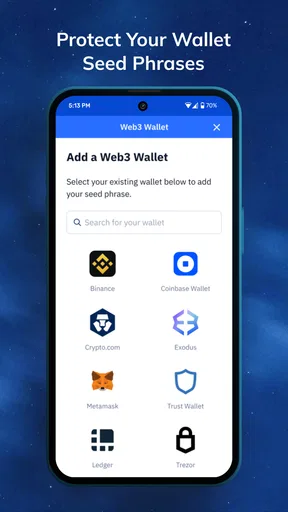
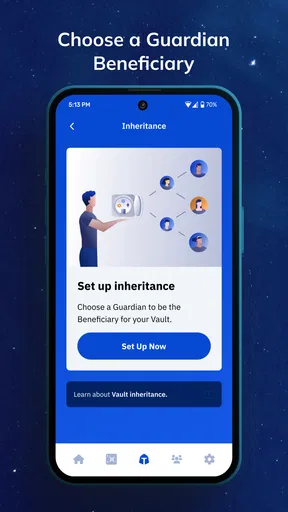
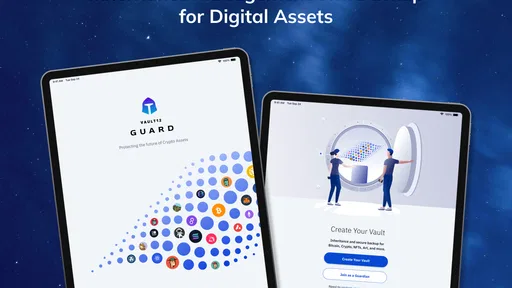
Our Review of Vault12: Inherit Crypto Wallet
 Analysis by Appyee
Managing cryptocurrency is easy to underestimate. Buying or holding coins can feel straightforward until you ask what happens if your phone disappears, your wallet becomes inaccessible, or the people you trust need a clear way to handle your assets. Vault12: Inherit Crypto Wallet is built around that uncomfortable question. It is a finance app from Vault12, Inc that focuses on backing up and arranging inheritance for Bitcoin, Ethereum, Solana, stablecoins, and other crypto.
I approached it less like a normal spending wallet and more like a planning tool for digital property. That distinction matters. A conventional crypto wallet is usually designed for sending, receiving, and checking balances. This app is aimed at the gap between personal control today and responsible access tomorrow. In my experience, that makes it most interesting for people who already hold meaningful crypto and are thinking about continuity, rather than for someone looking for a beginner-friendly trading companion.
The app is free to install, carries an Everyone age rating, and has reached over 100K installs. Its average rating is 4.3 from around 891 ratings, with roughly 130 written reviews, so there is enough public interest to suggest that the inheritance problem is not merely theoretical. Still, crypto security deserves a slower evaluation than a typical finance download. A polished interface is useful, but the real question is whether the choices it presents help you stay in control without creating a new single point of confusion.
What Vault12 is really trying to solve
I see Vault12’s core purpose as closing the gap between keeping crypto safe for myself and making it understandable to someone who may need to help later. That shifts the work from merely storing recovery details to building a plan another person can follow without guesswork. I’d start by deciding what needs continuity and who should understand the plan, then carry that distinction into the choices I review next.
More than a backup button
The central idea is not simply “save a copy of your wallet.” A backup can protect against a lost device, but inheritance introduces another layer: someone else may eventually need to understand that assets exist, identify the right access path, and act without turning your private information into an everyday liability. That is a very different problem from keeping a recovery phrase in a drawer.
When I think about using Vault12, I see three separate jobs. First, there is preservation: making sure a device failure does not erase access. Second, there is organization: keeping information about different crypto holdings from becoming scattered across exchanges, wallets, notes, and hardware. Third, there is succession: creating a deliberate route for trusted people rather than expecting them to guess what to do during a stressful event.
Those jobs should not be confused with investment management. This is not the kind of finance app I would choose to monitor market prices, compare tokens, or make frequent trades. Its value is strongest when the user wants to prepare a process and then leave it alone. If you are looking for charts, exchange tools, or everyday payments, a conventional wallet or trading platform will probably feel more natural.
Why the developer and product positioning matter
Vault12, Inc presents the app specifically around inheritance and backup, which gives the product a narrower purpose than many crypto wallets. I consider that focus a positive starting point because security tools become difficult to judge when they try to do everything. At the same time, a focused purpose raises the standard for clarity. Any screen involving trusted contacts, recovery material, or future access needs to be understandable before a user commits to a setup.
The current version is 3.0.0, and the minimum operating-system requirement is iOS or Android 12. That requirement is worth checking before planning a family or estate workflow, especially if the people involved use older phones. A security arrangement is only practical when every intended participant can actually use the relevant device and app environment.
The trust question I would ask first
I would not begin by asking whether the app looks modern. I would begin by asking what I am being asked to trust. With any crypto inheritance product, trust can involve the app itself, the phone, the account credentials, the people selected to receive access, and the way recovery information is stored or transferred. Each layer creates a different risk.
That is why I would read every permission request and every setup explanation rather than tapping through quickly. The most reassuring experience is not necessarily the one with the most security language; it is the one that makes the user’s choices visible. I want to know which information is required, which people are involved, what can be changed later, and what happens when a device or account is no longer available.
My main trust test is simple: I should always understand who can do what, and under which conditions. If a screen uses vague wording around recovery or inheritance, I would pause instead of assuming the safest interpretation.
Controls that deserve deliberate setup
The app’s purpose makes account control more important than speed. I would set it up during a quiet session, with the assets and people involved already listed on paper. Rushing through a security workflow while distracted is a practical weakness, even when the software itself is well designed.
A useful approach is to separate the information into categories before entering anything: the crypto assets that need protection, the wallets or accounts connected to them, the people who may need to act, and the instructions that would help them understand the situation. This prevents a common mistake in inheritance planning—creating access without creating context.
I would also review the arrangement after the first setup rather than assuming it is complete. Check whether the intended holdings are represented, whether a trusted person is still the right choice, and whether the instructions are understandable to someone who does not follow crypto every day. The best backup plan is not merely technically present; it is usable by the person who may eventually depend on it.
A realistic everyday scenario
Imagine that I hold Ethereum for long-term savings, Solana for a separate project, and stablecoins used occasionally for payments. My normal habit is to keep those assets in more than one place, with passwords and recovery details spread across devices and paper notes. That arrangement may feel manageable while I am actively checking everything, but it becomes much less helpful to a family member who has no idea which wallet matters or which information is current.
In that situation, I would use Vault12 as part of a documented handover plan. I would identify the holdings, write plain-language instructions, review the trusted access choices, and then test my own understanding of the process. I would not treat the app as permission to place every secret in one convenient location. Instead, I would use it to make the overall plan more coherent while keeping especially sensitive material handled carefully.
That last point is important. A backup workflow can reduce the chance of losing access, but centralizing too much information can increase the impact of one compromised account or device. The practical trade-off is convenience versus concentration of risk. I would rather spend extra time dividing responsibilities clearly than create one master key that solves one problem and creates another.
Data-sensitive moments require patience
The most sensitive moments are not necessarily the opening screen or the balance view. They are the moments when the app asks me to identify assets, connect accounts, enter recovery-related information, name trusted people, or confirm a future-access arrangement. Those steps can reveal both financial interests and personal relationships, so I would treat each one as a separate decision.
Before confirming anything, I would read the wording around storage and sharing carefully and check the app’s current privacy and permission explanations directly on the device. I would also avoid setting up the arrangement on a public network or an unlocked shared phone. These are ordinary precautions, but they matter more when the information can point toward valuable digital assets.
I would not assume that a person listed for inheritance should automatically receive unrestricted access to everything. A better plan may involve different responsibilities: one person who understands the family context, another who can help with technical steps, and written instructions that explain what not to do. Whether the app supports every arrangement a user imagines is something I would verify inside the current setup screens before relying on it.
Another subtle issue is stale data. Crypto holdings move, wallets change, and people’s relationships change. An inheritance plan that was sensible last year may be wrong after a new wallet is added, an old account is closed, or a trusted contact is no longer appropriate. I would schedule a personal review whenever my holdings or family circumstances change, rather than treating the initial setup as permanent.
Where user agency helps—and where it can fail
I like the idea of giving the owner a deliberate role in deciding who should be involved. It is far better than leaving a loved one to search through devices and emails after the fact. But agency only works when the owner understands the consequences of each choice. A button labeled “backup” can sound harmless even when it affects future access, and a “trusted” contact may be selected casually if the explanation is too brief.
My advice would be to slow down at every irreversible-looking step, take notes outside the app, and ask whether the plan would make sense to someone unfamiliar with crypto. I would also avoid sharing screenshots of sensitive screens in family chats or storing instructions beside the very credentials they explain. The purpose of a clear plan is not to make secrets public; it is to make the right path discoverable by the right person.
There is also a human limitation that software cannot remove. If the selected people do not understand digital assets, even a carefully prepared arrangement may create hesitation or mistakes. I would give them a simple explanation of the terminology and the order of operations, without exposing more access than necessary during the teaching process. That preparation may be more valuable than adding another feature to the app.
How it compares with familiar alternatives
The usual alternative is to keep a recovery phrase on paper, in a safe, or with another physical backup. That approach can be reassuring because it reduces dependence on an online service, but it often leaves a serious communication problem. A phrase may preserve access while offering no explanation of which assets it controls, how the wallets relate to one another, or who should be trusted with it.
A hardware wallet is another common choice. It can provide strong physical separation and is attractive to users who want hands-on control. However, hardware alone does not create an inheritance plan. A family member may find the device but not know the passcode, the recovery process, or the reason it matters. Vault12 is more relevant when the missing piece is organized succession rather than storage alone.
Some people use password managers, encrypted notes, or instructions left with estate documents. These can be flexible and familiar, especially for users who already have a careful system. Their weakness is that they may require the owner to design every rule manually. Vault12’s appeal is the attempt to give crypto inheritance its own workflow instead of forcing users to improvise with general-purpose tools.
I would not automatically replace a hardware wallet, a physical backup, or a password manager with this app. For many holders, the strongest arrangement may combine a dedicated wallet, offline recovery material, clear written instructions, and a carefully reviewed digital plan. The app makes the most sense as a coordination layer for people who recognize that technical backup and human handover are separate tasks.
Who should use it, and who should skip it
I would recommend exploring it if you hold multiple crypto assets, have family members who may eventually need guidance, or worry that your current backup system depends too heavily on your memory. It is also relevant if you have already accumulated Bitcoin, Ethereum, Solana, stablecoins, or other tokens across different arrangements and want to make the future path easier to understand.
I would be more cautious if you only own a small amount of crypto, trade frequently, or need a fast wallet for everyday transactions. The planning effort may outweigh the benefit in that case. Likewise, if your household is not ready to discuss digital inheritance, installing a tool alone will not solve the communication problem.
Users who want complete offline control may prefer a carefully maintained physical system. People who need exchange features may be better served by an established trading app. And anyone using an older operating system should check compatibility before building a plan around it. The free download lowers the barrier to trying it, but the in-app purchases, priced from $19.99 to $29.99 per item, mean that I would understand exactly what is included before paying for an optional item.
My cautious verdict
Vault12: Inherit Crypto Wallet addresses a real weakness in personal crypto security: people often plan for losing a device but not for explaining their assets to someone else. I find that focus useful, especially for long-term holders whose wallets have become part of their broader financial life. The app’s strongest contribution is encouraging a structured conversation about backup, responsibility, and future access.
My recommendation comes with a condition: use it as part of a wider plan, not as a reason to stop thinking about physical security, account recovery, or the people involved. Review permissions and privacy choices on your own device, keep instructions clear, avoid unnecessary concentration of secrets, and revisit the arrangement after meaningful changes to your holdings or relationships.
For a user who wants inheritance planning around crypto and is willing to make careful decisions, this is a worthwhile app to investigate. For someone seeking a simple spending wallet or a trading dashboard, it is the wrong tool. I would install it only when I was ready to do the less glamorous work around it—documenting what I own, deciding who should help, and checking that the plan still makes sense. That is where Vault12: Inherit Crypto Wallet earns its place: not by removing responsibility, but by giving that responsibility a more focused home.
The app is free to start, rated for Everyone, and developed by Vault12, Inc. Its current version is 3.0.0, with support beginning at Android or iOS 12. Those details make it accessible to many users, but the decision to rely on it should still come from the quality of your personal process rather than from the download cost or rating alone. In my view, the right question is not whether it can replace every other security measure. It is whether it helps you create a clearer, more deliberate path for protecting crypto today and explaining it tomorrow.
Verdict
Strengths of Vault12: Inherit Crypto Wallet
- Non-custodial design keeps users in control of their private keys.
- Supports inheritance planning for digital assets and wallet access.
- Designed to reduce the risk of losing crypto after an emergency.
- Can help organize wallet information for trusted beneficiaries.
- Useful for families planning long-term access to cryptocurrency holdings.
Limitations of Vault12: Inherit Crypto Wallet
- Recovery depends heavily on accurate setup and trusted designated contacts.
- A poor inheritance plan could expose sensitive wallet information.
- May feel complex for beginners unfamiliar with crypto security practices.
- Loss of recovery details can make assets difficult or impossible to access.
- Availability of features may vary by country, wallet, or supported blockchain.
Similar Picks in This Category
View All
Google Wallet
Google LLC4.3

Airtel: Recharge, Bank & Loans
Airtel4.0

PayPal - Pay, Send, Save
PayPal Mobile4.2

DANA Indonesia Digital Wallet
PT Espay Debit Indonesia Koe4.5

Binance: Buy Bitcoin & Crypto
Binance Inc.4.8

Cash App
Block, Inc.4.7
Frequently Asked Questions
What is Vault12: Inherit Crypto Wallet and what does it do?
Vault12: Inherit Crypto Wallet is designed to help users protect digital assets and organize access for inheritance or emergency recovery. It focuses on secure storage of sensitive wallet information, trusted contacts, and instructions for passing access to selected beneficiaries. Before downloading, users should understand that it is a management and security tool, not a guarantee against loss, theft, forgotten credentials, or blockchain transaction errors.
How does Vault12 help with crypto inheritance?
The app is intended to make inheritance planning more structured by allowing users to prepare instructions and designate trusted people who may need access if the owner becomes unavailable. Its usefulness depends on configuring the recovery or inheritance process correctly and keeping beneficiary details current. Users should carefully review every security setting, understand activation conditions, and avoid sharing seed phrases or private keys through insecure channels.
Is Vault12 safe for storing private keys, seed phrases, or wallet information?
Vault12 is built around protecting highly sensitive cryptocurrency information, but no application can eliminate every security risk. Users should download it only from an official store or verified source, enable available device security features, and keep their phone and operating system updated. Never assume that an app replaces a secure backup strategy, and always verify how information is encrypted, synchronized, and recovered before relying on it.
Can Vault12 recover my cryptocurrency if I lose my phone or forget my password?
Vault12 may support recovery and inheritance arrangements, but the exact result depends on the recovery options configured before an emergency occurs. Losing a device, deleting the app, forgetting credentials, or misplacing a recovery phrase can still create serious problems. Before transferring valuable assets, users should test the available recovery process with a small amount and keep any required backup information in a secure offline location.
Is Vault12 suitable for beginners, and are there any costs or limitations?
The app may be useful for beginners who want a guided way to think about crypto security and inheritance, although users still need a basic understanding of wallets, private keys, beneficiaries, and blockchain transactions. Features, supported assets, account limits, and pricing can change by platform or region. Check the current store listing and in-app terms before downloading, especially if you plan to manage significant funds.
